
eLEARNING
Designing for Behavior Change
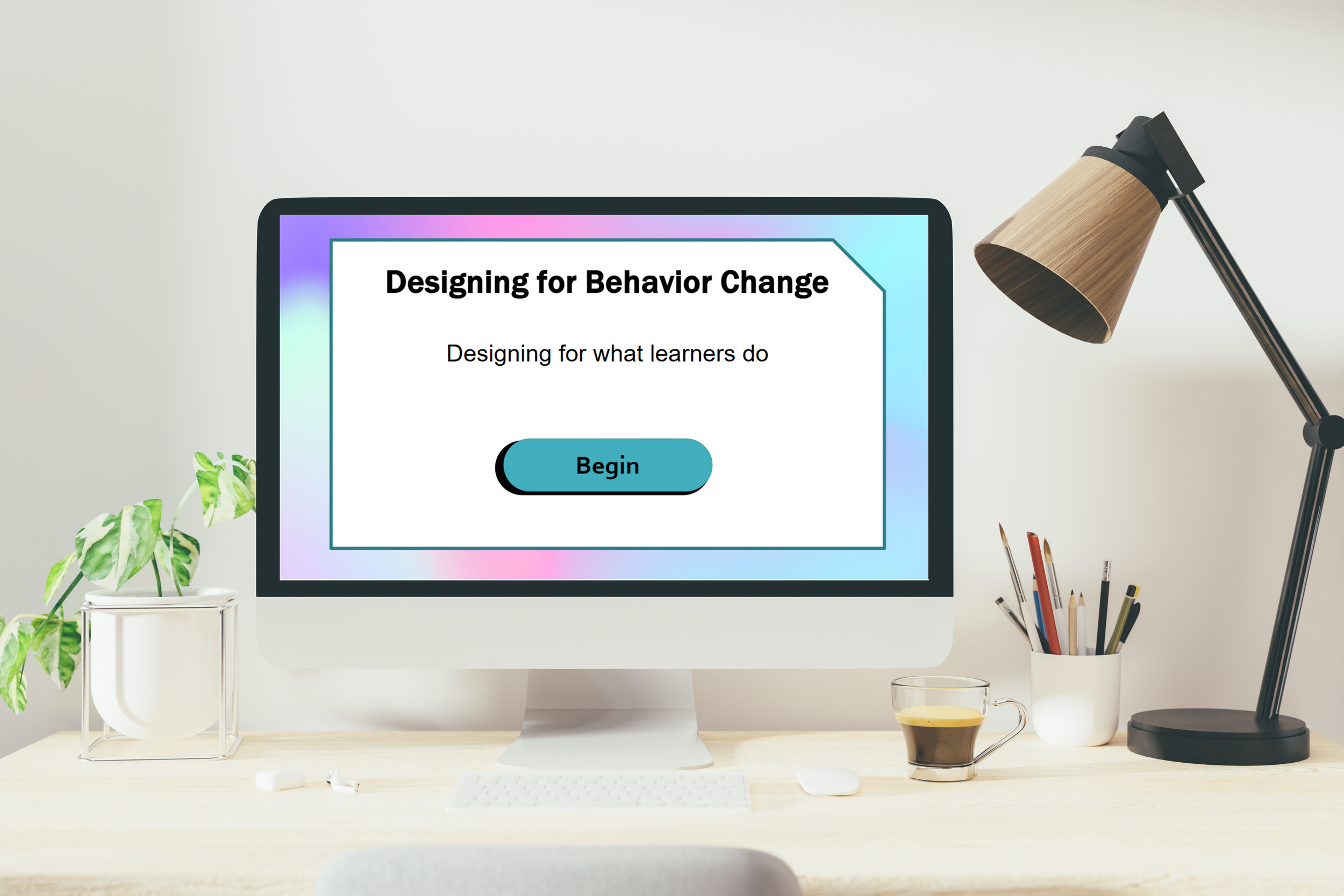
eLearning: Designing for what learners do
This interactive eLearning module was created to help instructional designers design for behavior change by focusing on observable actions, scenario-based practice, meaningful feedback, and performance measurement.
Audience: Instructional Designers, eLearning Designers, Learning Experience Designers
Responsibilities: Instructional Design, eLearning Development, Storyboarding, Visual Design, authoring, Implementation, Evaluation
Tools Used: Articulate Storyline 360, Figma, PowerPoint, Adobe Illustrator, Freepik, SnagIt
The Problem
Instructional designers often create content that focuses on knowledge rather than measurable behavior change, leading to training that doesn’t translate into improved on-the-job performance.
The Solution
This eLearning experience models and reinforces behavior-focused design by guiding instructional designers through identifying key actions, building scenario-based interactions, delivering meaningful feedback, and aligning outcomes to performance metrics.
My Process
I followed an iterative design process by developing a storyboard, creating visual mockups, and building a working prototype. Incorporating stakeholder feedback, I refined the experience and delivered a final product that is both functional and visually engaging.
Design
This project addresses a common challenge in instructional design—training often delivers information but fails to drive behavior change. After researching effective approaches to performance-based learning, I identified five key actions instructional designers can use to design for behavior change: Define the Behavior, Design the Practice, Give Feedback, Measure Performance, and Avoid the Trap. Using these as a foundation, I developed a streamlined storyboard to outline how each concept would be defined, demonstrated in an eLearning context, and supported with targeted resources.
Visual Mockups
With the storyboard complete, I moved on to visual design in Figma. In my initial wireframes, I mapped out each slide and its visual layout. After iterating on the Menu slide, I refined the design to create a more cohesive look with better use of space, especially limiting white space as much as possible. I also focused on making the interaction intuitive, ensuring users could easily identify and select each key action. I then mapped out each key action’s placement.
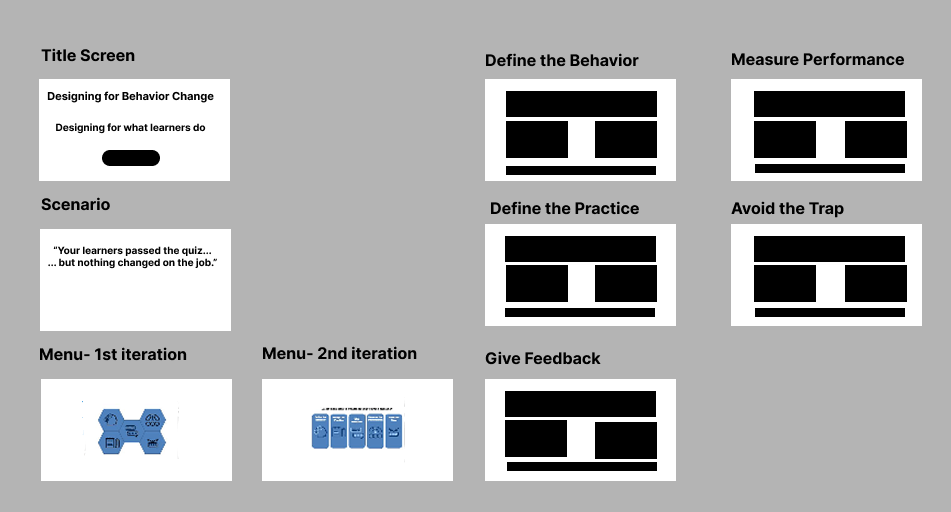
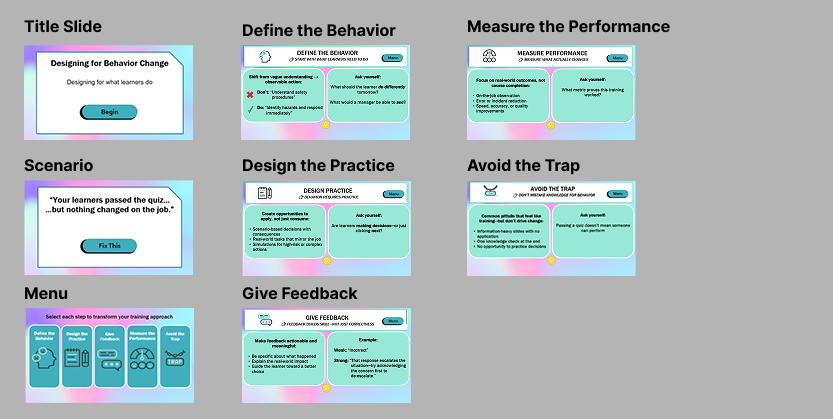
In the second round of wireframes, I selected a background image sourced from PowerPoint, which influenced the overall color palette for the design. This direction led to my first set of high-fidelity mockups. To validate the design, I shared these mockups with the instructional design community and gathered feedback through a call with two experienced instructional designers, using their insights to refine the overall look and usability. I decided to use the colors within the slide as my style guide colors.
Interactive Prototype
Next, I developed an interactive prototype in Articulate Storyline 360 to validate the design and functionality. The menu incorporated GIF-based hover states, so I tested these interactions to ensure smooth performance. I also used the prototype to confirm that variables were working correctly, allowing users to track which menu items they had already visited.
Based on feedback, I enhanced the lightbulb markers by increasing their size, adding brief summaries, and incorporating a pulsing animation to guide users to interact with them after reviewing the content. To support this, I transitioned from Storyline’s default markers to fully customized markers and animations. I also introduced a visual indicator to show when users successfully completed each “solution” on the menu, using advanced triggers with variables and conditions.
Developing the prototype was a critical step in refining the experience, enabling me to strengthen both usability and engagement through intentional interaction design. With the prototype finalized, I transitioned into full development. The time invested in visual mockups and prototyping streamlined the build process, making development efficient and seamless.
Results and Takeaways
When designing a learning experience, keeping the user at the center is essential. Throughout this process, I intentionally involved users at key stages to ensure the experience remained relevant and effective. The final product received strong, positive feedback from the instructional design community.
Well done! The icons are short and to the point, and the layout was great. In the feedback section, I could see why you went with an example, and it was a great one. This is a great job aid! You should definitely make that into a PDF to have a quick job aid people can scan on the job.
-Michael Jeng-Lopez, Instructional Designer
Wow! It's well-designed, the information is great, and I like the animations!
-Lindsey Tanner, Instructional Designer
This looks great! I especially loved the small clickable lightbulb that shows the essence of the content in a single sentence.
-Preethi Shankar, Instructional and Learning Experience Designer
After completing this project, I feel highly confident in my ability to design and develop advanced learning experiences in Articulate Storyline 360. It has motivated me to learn and try it out with xAPI. There were moments when Storyline didn’t align easily with my design vision, but instead of adjusting the vision, I found ways to make the tool work for me.
This project was especially rewarding because it allowed me to apply both my instructional design expertise and visual design skills, shaping not only the content but also the overall look and feel of the experience.